Scheduling & billing software for piano teachers.
Set a recurring weekly lesson time, bill whole families in one invoice, and let parents book & pay in their own portal — with reminders that reach them and a bookable website built in.
Everything a piano studio needs to run lessons
Weekly scheduling, family billing, and a portal parents actually use.
Recurring weekly lessons, set once
Set a standing lesson time — say, Tuesdays at 4pm — and it repeats automatically every week, with room for recital prep and make-ups.
One invoice for the whole family
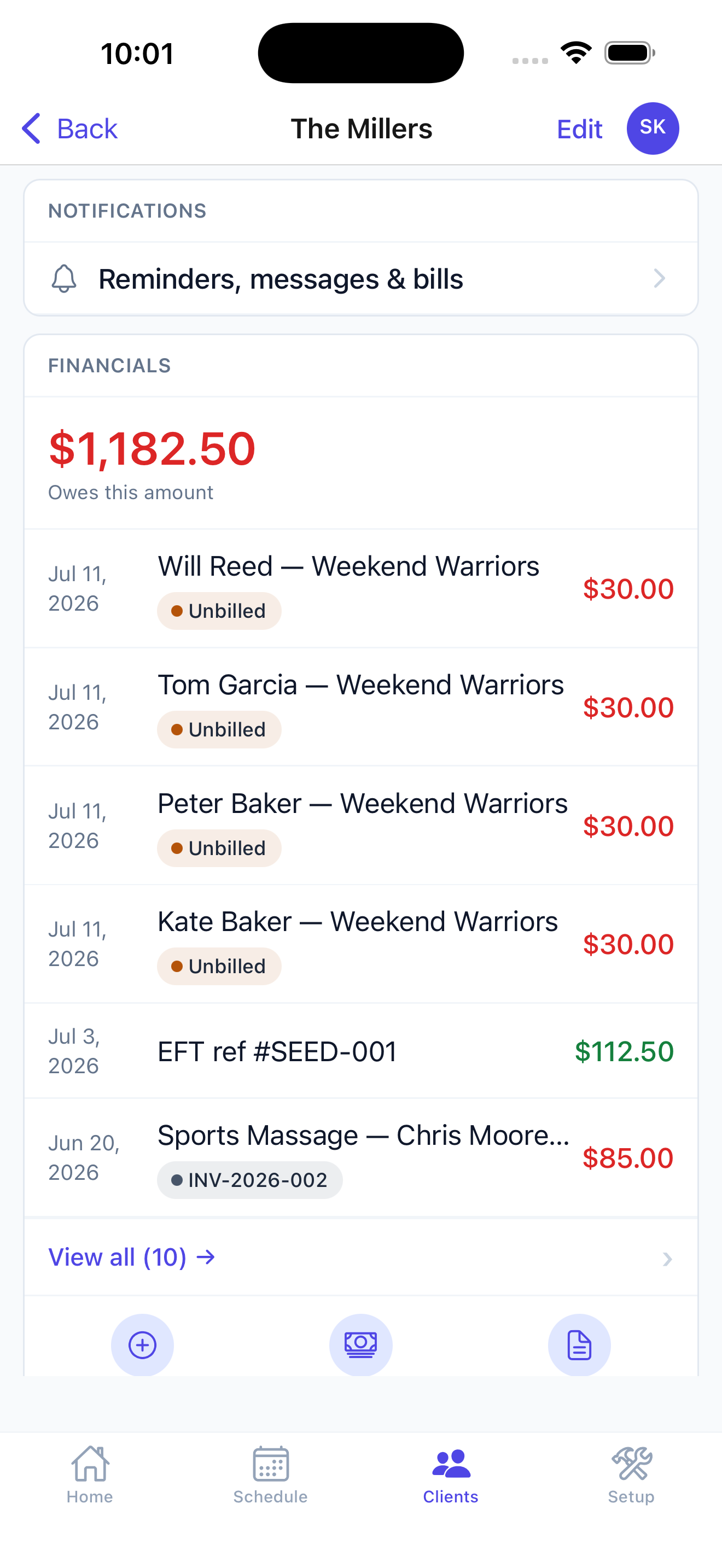
Household accounts group siblings under one parent login, so every child's lessons land on a single invoice.
Parents book & pay themselves
A self-serve portal where parents book, reschedule, and pay tuition online — so your phone stops ringing for every lesson.
Reminders that reach parents
Automatic SMS and email reminders before every lesson, with consent tracking — so fewer lessons get missed.
One teacher, one diary, forty families
A piano studio run from home has no front desk, no admin, and no cover. Every parent message arrives on the same phone as everything else in your life.
The whole business fits in one week
A private teacher's timetable is the same thirty hours repeating. Set the standing slots once at the start of term and the year fills in — and because there is nobody else to ask, the schedule has to be right without a second person checking it.
Parents message at nine at night
You are the only person they can reach, so they reach you constantly. A portal where they can see the schedule, rebook and pay turns most of those messages into something they do themselves, at nine at night, without you.
Termly invoices, not thirty small ones
Private teachers bill by term or by month, not per lesson. Set it once and it goes out on schedule with the same wording to everyone, instead of you writing the same message forty times and chasing half of them.
Exams and recitals sit outside the timetable
A grade exam has a date, a fee and an entry deadline. A recital has a venue and a running order. Neither is a lesson, and both need collecting money from a subset of families without disturbing the rest.
The waiting list is your growth
Good private teachers are full. Someone leaving is the only way in, so knowing exactly who is waiting — and for which day — is the difference between filling a slot in a week and losing the income for a term.
Run your piano studio from your pocket.
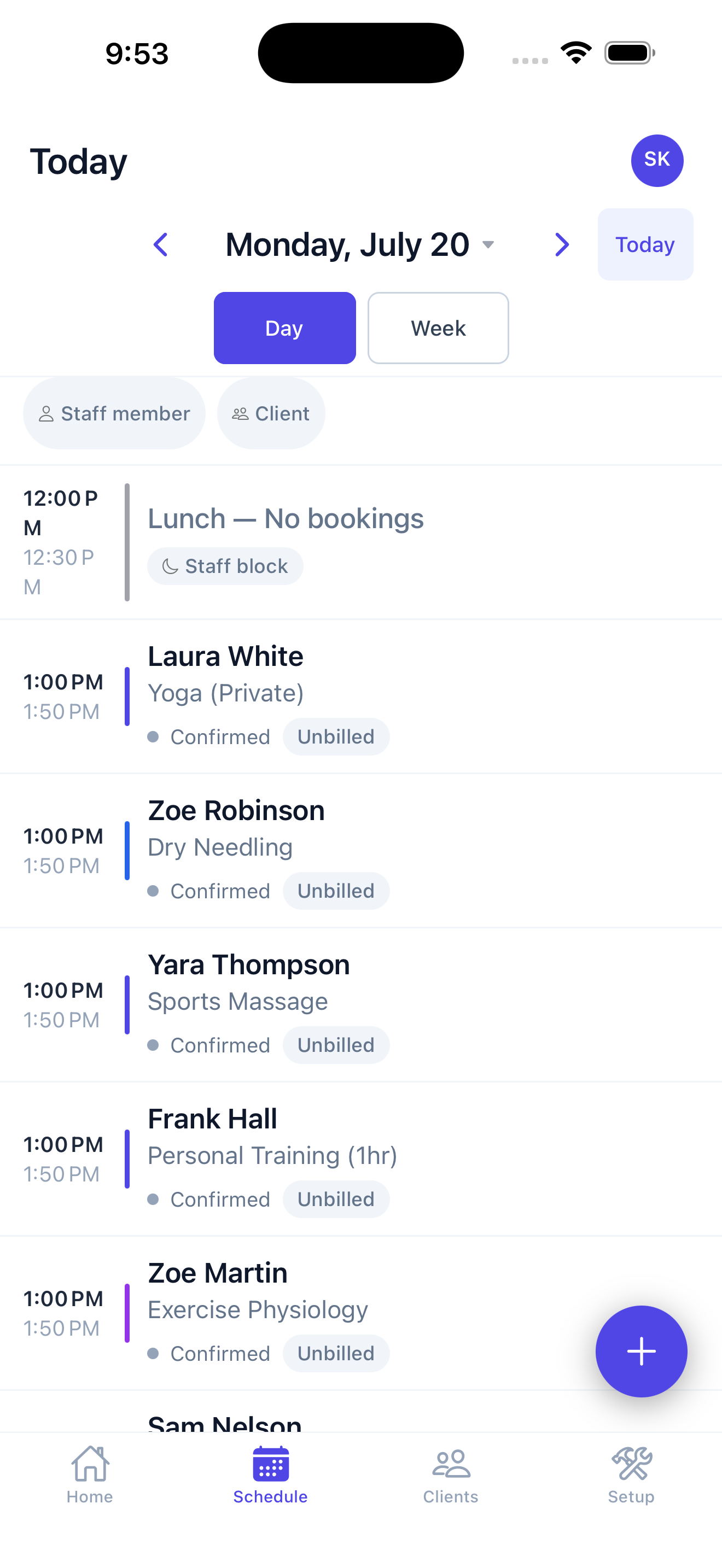
Check your day, book a lesson, and take a payment right from your phone. Native on iPhone, iPad & Android, for you and every teacher — and students & parents book and pay in their own portal from any browser.
- You: schedule, clients, invoices & payments — from your phone.
- Students & parents: book, reschedule & pay 24/7 in their browser — or add it to their home screen — with email & SMS reminders.
- Take card payments in person — including Tap to Pay on iPhone, no reader needed.
Piano lesson scheduling, answered
Can parents book lessons online?
Yes. A self-serve portal lets parents book, reschedule, and pay online — so scheduling stops living in text messages and email.
Can I set up recurring weekly lessons?
Yes. Set a standing lesson time once — like Tuesdays at 4pm — and it repeats automatically, no re-booking the same student every week.
Can I bill a whole family in one invoice?
Yes. Household accounts group siblings under one parent login, with one invoice and one set of reminders for the whole family.
Can I sell prepaid lesson packages?
Yes. Sell a term of lessons up front — say, ten weeks — and each lesson draws down against it automatically, so you always know the balance.
Does it send lesson reminders?
Yes. Automatic SMS and email reminders go out before every lesson, with consent tracking — so fewer lessons get missed.
Do I get my own booking website?
Yes. A branded, bookable website is included, so families can find you and book online.
I teach on my own from home. Is this too much software?
No. Set your standing weekly slots once and bill by term or month; the parts you do not need stay out of your way.
Can parents stop messaging me to reschedule?
Mostly. They can see the schedule, rebook within your rules and pay in their own portal, so only the genuine exceptions reach you.
Can I invoice by term rather than per lesson?
Yes. Set a recurring charge per student and it bills on schedule with the same wording for everyone.
How do I collect exam entry fees from only some students?
Add the fee to those students' accounts and it appears on their next invoice — the rest are unaffected.
Can I keep a waiting list for my full slots?
Yes. Interested families can sit on a waitlist so that when a slot frees you already know who wants it and on which day.
What about recitals?
Run a recital as a dated event with a roster, so you know who is performing and can collect any entry fee onto the family account.
Your piano studio, simplified.
Run lessons, families, and billing in one place.
Start your free trial →