Scheduling & billing software for music schools.
Set recurring weekly lessons, bill whole families in one invoice, and let parents book & pay in their own portal — with reminders that reach them and a bookable website built in.
Everything a music school needs to run lessons
Weekly scheduling, family billing, and packages — tailored to how music teachers work.
Recurring weekly lessons, set once
Set a standing lesson time for guitar, piano, or voice and it books itself every week — plus one-off recital rehearsals when you need them.
One invoice for the whole family
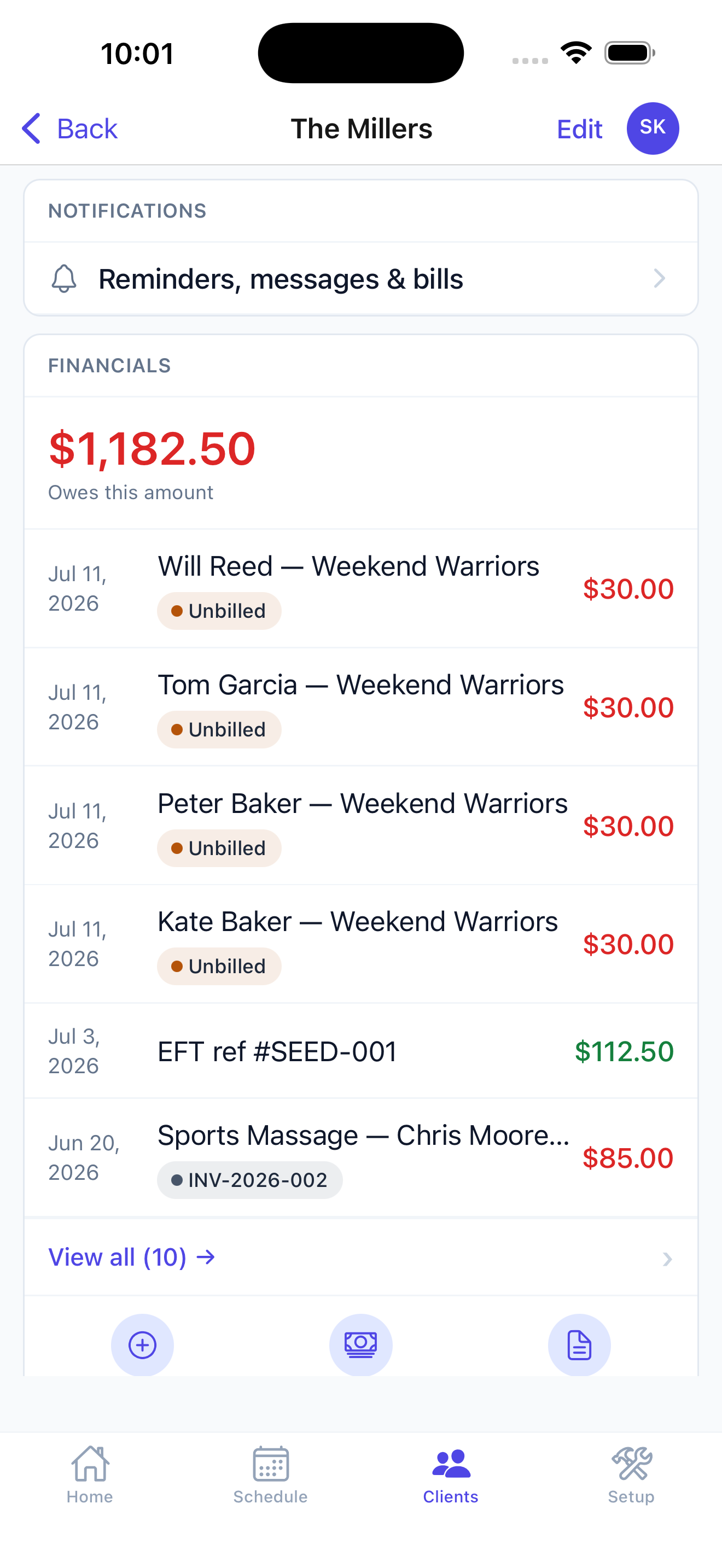
Household accounts group students from the same family, with one invoice and shared billing — no separate logins to juggle.
Parents book & pay themselves
A self-serve portal where parents book, reschedule, and pay online — so your phone stops ringing for every lesson.
Reminders that reach parents
Automatic SMS and email reminders before every lesson, with consent tracking — so fewer lessons get missed.
A teacher each, on one schedule
Set a teacher to see their own day only, or the whole studio. You keep the full timetable in one view while each teacher works from theirs.
Sell books and strings at the desk
Ring up a method book, a packet of reeds or a set of strings on the spot — cash, card, or tap a card straight on your iPhone. It lands on the family's account like everything else.
What a teaching term actually looks like
Most studio software is built for drop-in appointments. Lessons don't work that way — the same student, the same slot, the same teacher, for ten or twelve weeks at a time.
September: the timetable sets itself
You place each student in a standing slot once — Emma, piano, Tuesdays at 4pm with Sarah — and the term fills in. Returning families keep last term's time; new ones take what's left. Nobody re-books the same lesson thirty-six times.
Through the term: the exceptions are the work
A student is ill on Thursday. A teacher swaps a week. Half the studio disappears for the school holiday. Each of those is a change to one lesson, not a rebuild of the timetable — and the parent is told automatically rather than by you, at night, on your phone.
When a lesson can't be made up, the money doesn't quietly vanish. It goes back to the family's account as credit and comes off the next invoice, so the balance stays honest without you keeping a separate list.
Billing: one family, several instruments
A household with two children — one on violin, one on drums, different teachers, different rates — gets one invoice. Not two, not one per teacher. Parents pay it in their own portal with a saved card, or you take payment at the desk when they collect.
Studios that bill by the term sell a block of lessons up front, and each lesson draws down against it automatically. Studios that bill monthly set the charge once and it goes out on schedule. Either way you stop rebuilding the same invoices every month.
Recitals, theory classes, and everything that isn't a weekly lesson
Group theory, an ensemble, a masterclass, a recital with an entry fee — these are classes with a roster and a cap, not lessons. Students enrol, the roster fills, and once it's full the next family joins a waitlist instead of texting you to ask.
Your studio's site — with your teachers on it
Parents choose a teacher before they choose a time. Most booking tools can't show them one.
Your site carries a page for the studio and a profile for every teacher — photo, instruments, the way they work with beginners. Under each one is a button that books that teacher. A parent reads about Sarah, decides Sarah is right for their seven-year-old, and books Sarah. They never see a list of anonymous time slots.
All of it sits on your domain. Not a booking page on somebody else's site with your logo at the top, and no handoff halfway through where the address bar changes to a company the parent has never heard of — the moment most people abandon a booking.
When you add a teacher, their profile and their availability appear together. When one leaves, both go. There is no second website to keep in step with the first.
Run your music school from your pocket.
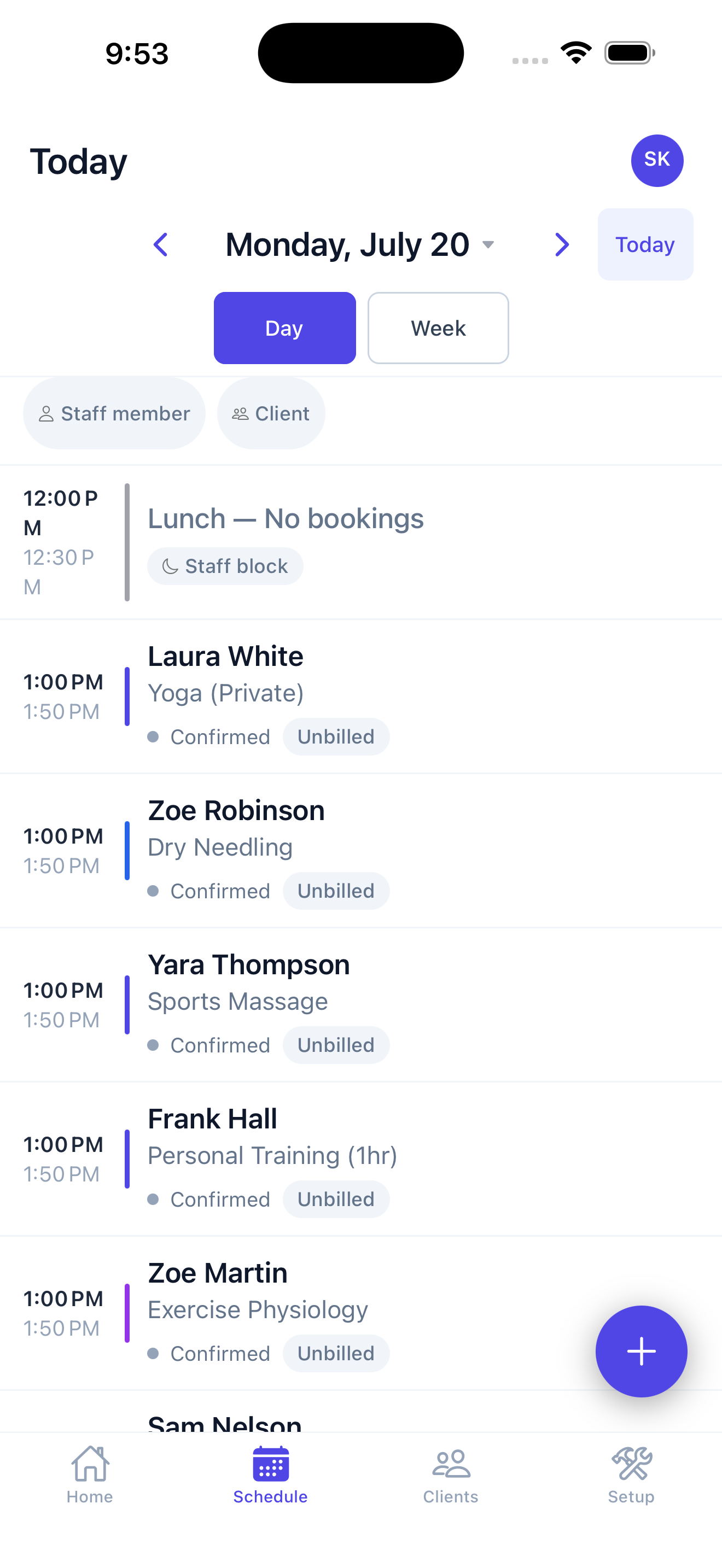
Check your day, book a lesson, and take a payment right from your phone. Native on iPhone, iPad & Android, for you and every teacher — and parents book and pay in their own portal from any browser.
- You: schedule, clients, invoices & payments — from your phone.
- Parents: book, reschedule & pay 24/7 from their phone browser — with email & SMS reminders.
- Take card payments in person — including Tap to Pay on iPhone, no reader needed.
Music school scheduling, answered
Can parents book lessons online?
Yes. A self-serve portal lets parents book, reschedule, and pay online — so scheduling stops living in text messages and email.
Can I set up recurring weekly lessons?
Yes. Set a standing lesson time once — like Tuesdays at 4pm — and it repeats automatically, no re-booking the same student every week.
Can I bill a whole family in one invoice?
Yes. Household accounts group siblings under one parent login, with one invoice and one set of reminders for the whole family.
Can I sell prepaid lesson packages?
Yes. Sell a bundle of lessons up front — say, ten sessions — and each lesson draws down against it automatically, so you always know the balance.
Does it send lesson reminders?
Yes. Automatic SMS and email reminders go out before every lesson, with consent tracking — so fewer sessions get missed.
Do I get my own booking website?
Yes. A branded, bookable website is included, so families can find you and book online.
What happens when a student misses a lesson?
Cancel the lesson and, if your policy gives the family credit, it goes back to their account and comes off the next invoice automatically. If the policy is no refund inside 24 hours, you simply leave it billed. Either way you are not keeping a side list of who is owed what.
Can I run a studio with several teachers?
Yes. You see the whole studio timetable, and each teacher can be limited to their own schedule rather than everyone's. Permissions are separate from that — a teacher can be given their day without access to studio-wide billing or settings.
Can different teachers or instruments charge different rates?
Yes. Price is set per service, so a 30-minute beginner piano lesson and a 60-minute advanced voice lesson bill at different rates on the same invoice.
Can I bill monthly instead of per lesson?
Yes. Set a recurring monthly charge per student and it bills on schedule regardless of how many lessons fall in that month — the way most studios on a term or tuition model prefer to work.
How do I handle a summer break or a student pausing?
Stop the recurring lessons for that period and any recurring charge with them. Nothing bills while a student is paused, and their slot is yours to fill or hold.
Can I take payment in person at the studio?
Yes — cash, card, or Tap to Pay on iPhone with no extra reader. You can also sell method books, reeds or strings at the same time, and it all lands on the family account.
Can I charge a card automatically each month?
Yes. Families can save a card in their portal with consent, and invoices can be charged automatically when they are issued — so you stop chasing the same parents every month.
Does it handle group classes and recitals, not just one-to-one lessons?
Yes. Theory classes, ensembles and masterclasses run as classes with a roster and a capacity. When a class fills, the next student joins a waitlist rather than messaging you to ask.
Can I see who actually turned up?
Yes. Attendance is recorded against each session, so you can see who attended, who missed, and who has stopped coming before they quietly disappear.
Do parents need to install an app?
No. Parents use a web portal in their phone browser — booking, rescheduling, invoices and payment all work there. If they want it to feel like an app they can add it to their home screen, but there is nothing to download from an app store.
Can I move from spreadsheets or another system?
Yes. Students, families and their balances can be brought across, and you can run a term in parallel before switching over completely.
Your music school, simplified.
Run lessons, families, and payments in one place.
Start your free trial →